Pixel Flow Level 1 Solution & Walkthrough Guide
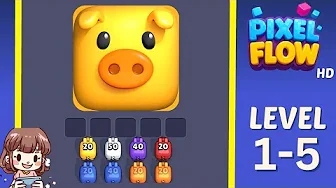
Struggling with Pixel Flow Level 1-5? This detailed walkthrough offers step-by-step solutions, tips, and strategies to connect all pixels flawlessly.
📤 Share This Level Guide
Help other Pixel Flow players by sharing this walkthrough guide!
⭐Pixel Flow Level 1-5 Solution: Complete Walkthrough Guide
Welcome to Pixel Flow Level 1! This level offers a nice balance—not too easy, but not overwhelming either. Your goal here is to connect pairs of colored pixels by drawing continuous paths across the grid. The challenge comes from limited space, so you’ll need to think about how to route each color without blocking others. For most players, it takes about 3 to 4 minutes to figure out the best flow pattern and complete the level smoothly.
Step-by-Step Solution
Step 1: Analyze the Colors – Start by spotting all the colored pixel pairs on the grid. This level features four colors: red, blue, green, and yellow. Before touching anything, take a moment to plan which color you want to connect first. This helps avoid confusion and overlapping paths later.
Step 2: Secure Edge Pixels First – Pixels on the grid edges and corners are tricky because they have fewer route options. It’s smart to connect these early on so you don’t end up stuck later. Think of it as locking down the tight spots first.
Step 3: Draw the Main Paths – Begin by connecting red and blue pixels. Tap on the cells between their pairs to create smooth, continuous lines. Be careful not to cross your paths or block spaces that other colors will need. This part can get a bit tricky, so take your time.
Step 4: Fill in the Remaining Colors – Now, connect the green and yellow pairs using the leftover grid space. Try to keep paths parallel when possible to avoid clashes. This strategy helps keep the board organized and prevents dead ends.
Step 5: Final Check – Once all pairs are connected, double-check that every pixel is linked correctly and no cells are wasted. The grid should show a complete flow with no gaps or overlaps.
Pro Tips & Strategies
Plan Path Lengths Early – Before drawing any lines, estimate which color pairs will need longer routes. Connecting these first ensures you reserve enough space and avoid squeezing them in awkwardly later.
Watch for Bottlenecks – Identify tight spots on the grid where multiple paths must pass through the same area. Plan carefully here to prevent paths from blocking each other.
Make Good Use of Edges – Grid edges are often the best place for routing because they limit interference with other paths. Use these areas efficiently to save central space.
Think Several Moves Ahead – Each path you draw influences the options for the next. Stay a few steps ahead in your mind to keep your strategy flexible and avoid surprises.
Common Mistakes to Avoid
Don’t Connect Randomly – Jumping in without a clear plan usually leads to blocked paths and frustration. Always take a moment to strategize before making connections.
Don’t Ignore Corners – Leaving corner pixels until the end can cause serious headaches. Connect them early so they don’t become impossible to reach.
Avoid Wasting Space – Long, winding paths eat up precious grid cells. Keep your lines as direct and efficient as possible.
Use Undo Without Fear – If a path isn’t working out, don’t hesitate to undo and try a different approach. It’s better than getting stuck and wasting time.
Advanced Strategies & Mastery
Optimize for Fewer Moves – Once you’ve got the basics down, try to minimize the number of moves you make. This can save 30-40% of the grid space and lead to cleaner, more elegant solutions.
Speed vs. Perfection in Competitive Play – When playing against the clock or others, focus on quick, confident decisions. It’s okay if your solution isn’t perfect, as long as it’s fast and solid.
Transfer Your Skills – The strategies you master here will help you tackle future levels more easily. Keep practicing your planning and spatial thinking—it pays off across the entire game.
Pro tip: Watch the video above for a visual walkthrough, then use the step-by-step guide below to replicate the solution at your own pace.
Pixel Flow AI Solver
Upload screenshot, get the next move in seconds
Drag & drop your screenshot
Or browse from your files. Supports PNG, JPG.
📤 Share This Level Guide
Help other Pixel Flow players by sharing this walkthrough guide!
⭐ Relation Levels
View All









Play Pixel Flow Now
Experience the ultimate flow puzzle game.